Scattered Enquiries
Keep RFQs, follow-ups, quotations and customer history together.

Manage enquiries, quotations, customer orders, rolls, Job Cards, production, QC, dispatch and receivables in one connected platform.
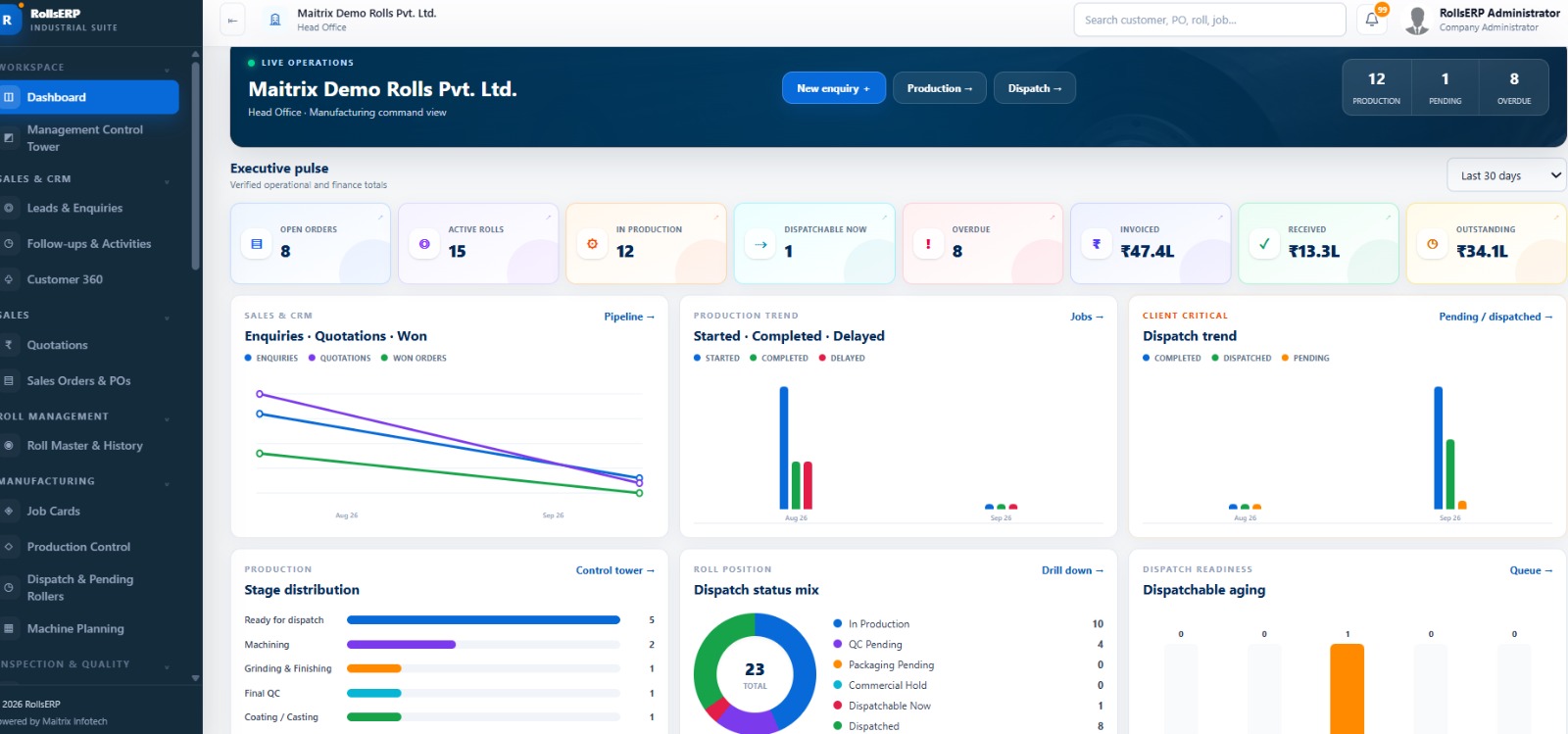 Real RollsERP dashboard Sample data
One connected operational history instead of disconnected Excel sheets, messages and departmental records.
Keep RFQs, follow-ups, quotations and customer history together.
See priorities, stages, holds, delays and completion status.
Connect readings, NCR, rework and release to the exact Job Card.
Know which rollers are released, packed, held or ready to ship.
Convert every enquiry into a controlled sales process with ownership and complete customer context.
Give every roll its own technical identity, documents, history, priority and accountable Job Card.
See running work, ownership, priorities, delayed jobs and operational holds from one view.
Keep inspections and release decisions connected to the exact roll and Job Card.
Connect material planning, packaging status and approved release to customer delivery.
Bring operations, receivables and commercial exposure into the same management view.
Real product screens with sample data. Open any screen for a readable full-size view.
Bring operational priorities and commercial exposure into the same decision view.
See Management DashboardUse Maitrixs industrial roll engineering calculators alongside your digital workflow for faster preliminary calculations and technical discussions.
Integrations can be configured according to approved client systems, APIs and credentials.
Connect approved accounting workflows when your business is ready.
Available on RequestDiscuss Tally IntegrationConfigure alerts, acknowledgements and approved workflow emails.
Available on RequestDiscuss Email AutomationPlan approved WhatsApp notifications and customer communication.
Available on RequestDiscuss WhatsApp SetupScope secure API and AI-assisted workflows around verified systems.
Available on RequestDiscuss API OptionsReview the interface using a controlled demo environment with sample data. Public credentials are not displayed.
Tell us how you currently manage enquiries, Job Cards, production and dispatch. Well show the relevant RollsERP workflow.
Yes. It is positioned around roll history, Job Cards, production, quality, dispatch and receivable workflows used by roll manufacturers and service businesses.
Yes. New Roll and Job Work processes can be configured with specifications, stages, due dates and accountability.
Roll Master and Job Card records keep customer references, technical details, documents, work stages and inspection history connected.
CRM covers enquiries, contacts, follow-ups, Customer 360, quotations, approvals and Sales Order references.
Production views can show priorities, current stages, ownership, holds, due dates and delays.
QC can record required versus actual readings, hardness, TIR, dynamic balancing, NCR, rework and reinspection.
Finance visibility covers invoice references, receipts, customer outstanding, aging and payment follow-ups.
Inventory, material planning and procurement visibility can be scoped according to verified implementation capabilities.
These are integration-ready options configured according to approved client systems, APIs and credentials.
Yes. The online environment uses sample data; guided access can be requested from Maitrix.
Configuration begins with process mapping, roles, masters, approved data, testing and training.
Look for roll-level history, connected Job Cards, production accountability, QC release, dispatch readiness and management visibility across operations and collections.
Bring your enquiry, quotation, production, QC, dispatch and payment process to the demo.
We Provides Complete Services in Website Design | Software Development| Mobile Apps Development | Digital Marketing | e-Commerce Solutions with the knowledgeable and experience hands.
Try Online Demo Quote Now